主题
Chatgpt-web-midjourney-proxy配置教程
ChatGPT & Midjourney配置教程:
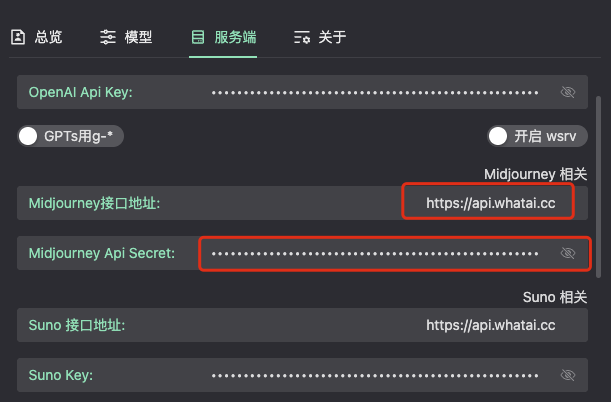
畅怀中转API聊天菜单 - ChatGPT & Midjourney - 左下角设置按钮 - 服务端 - 找到Midjourney设置:
对话
1.选择模型,添加畅怀中转API模型价格页面支持的模型值,比如添加:gpt-5.2 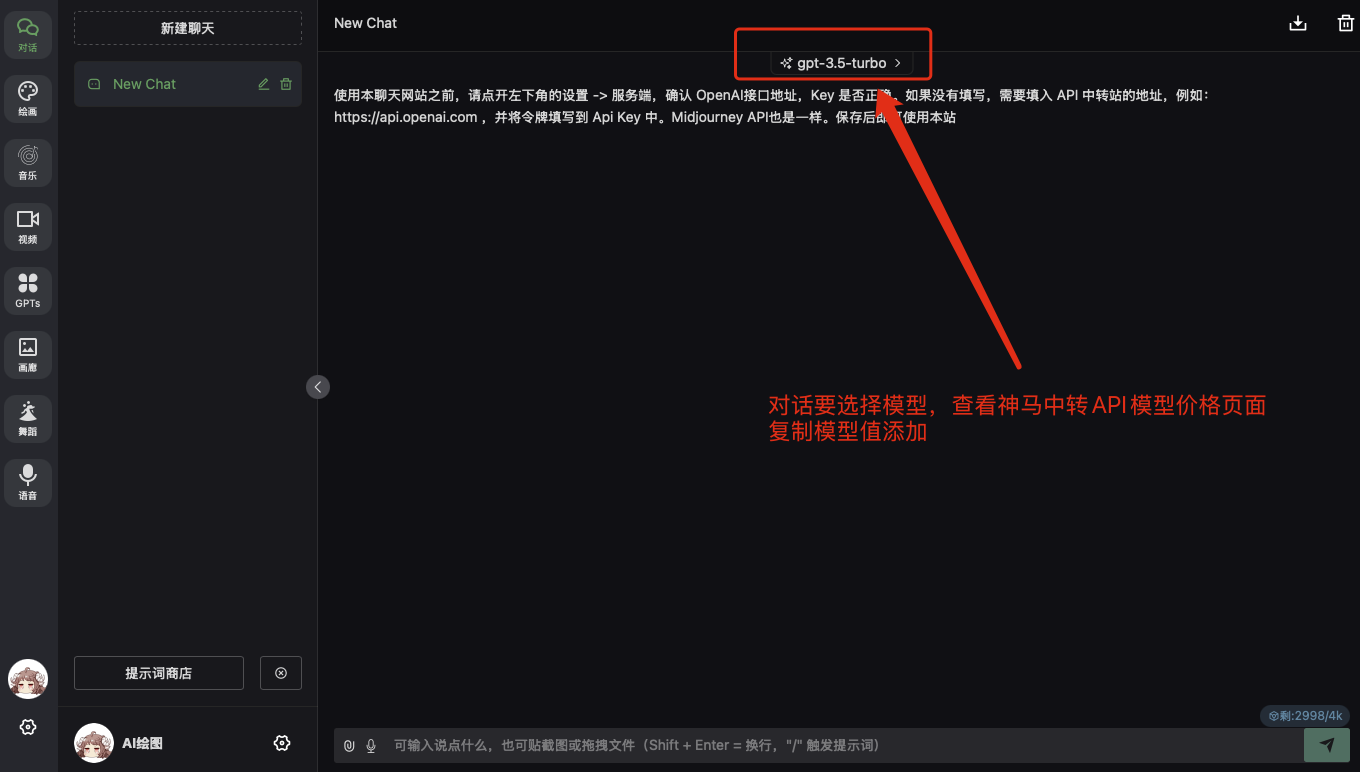
2.输入畅怀中转API支持的模型值,具体参考模型价格页面:畅怀中转模型价格 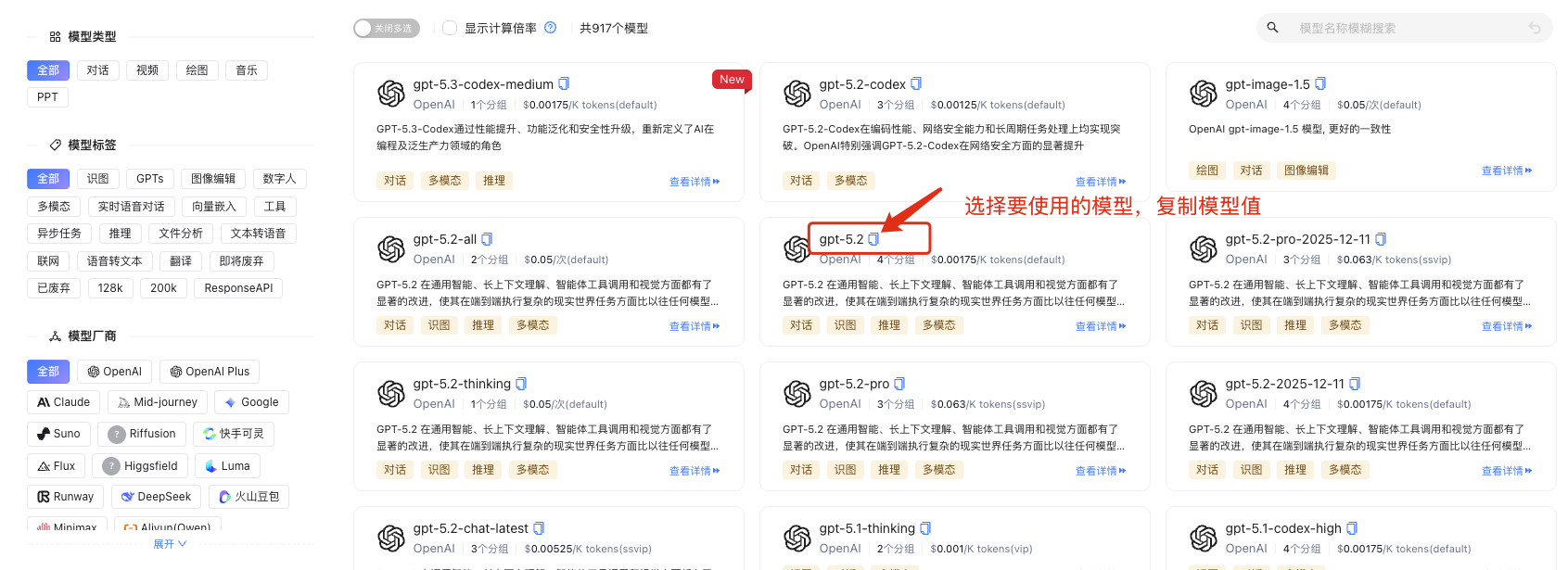
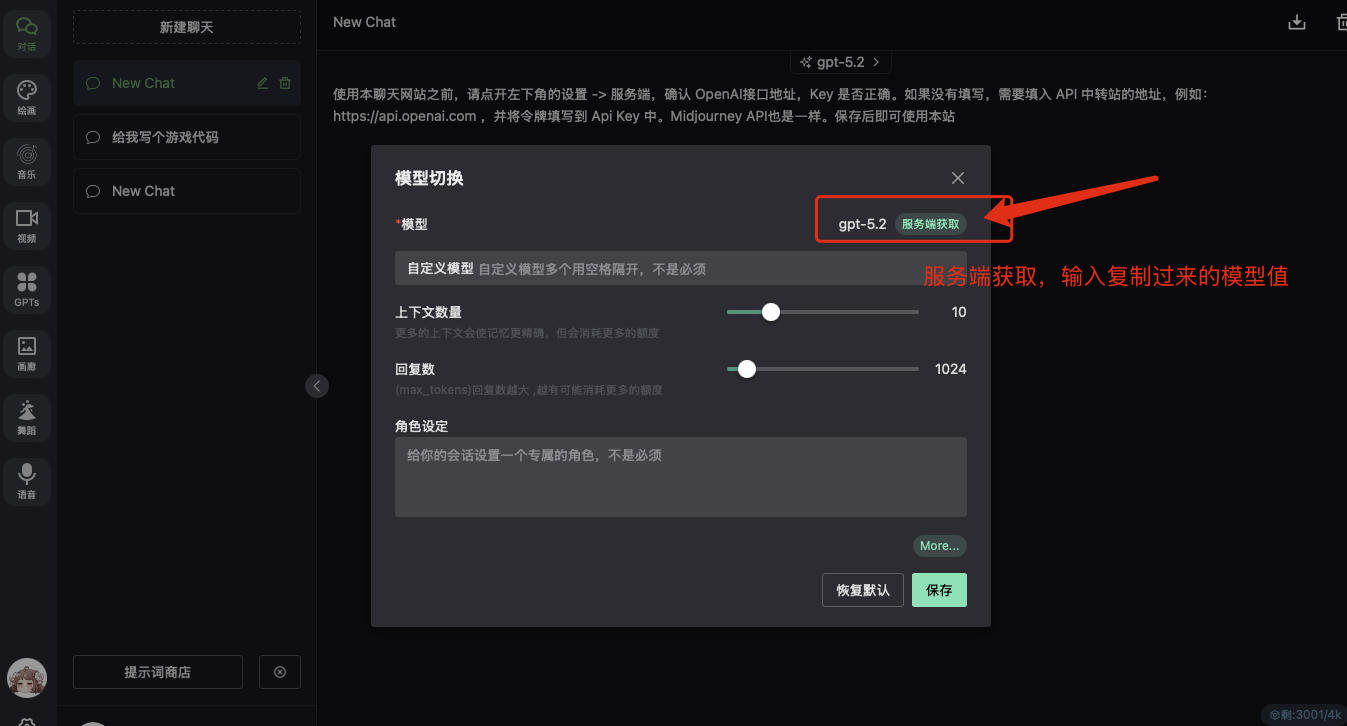
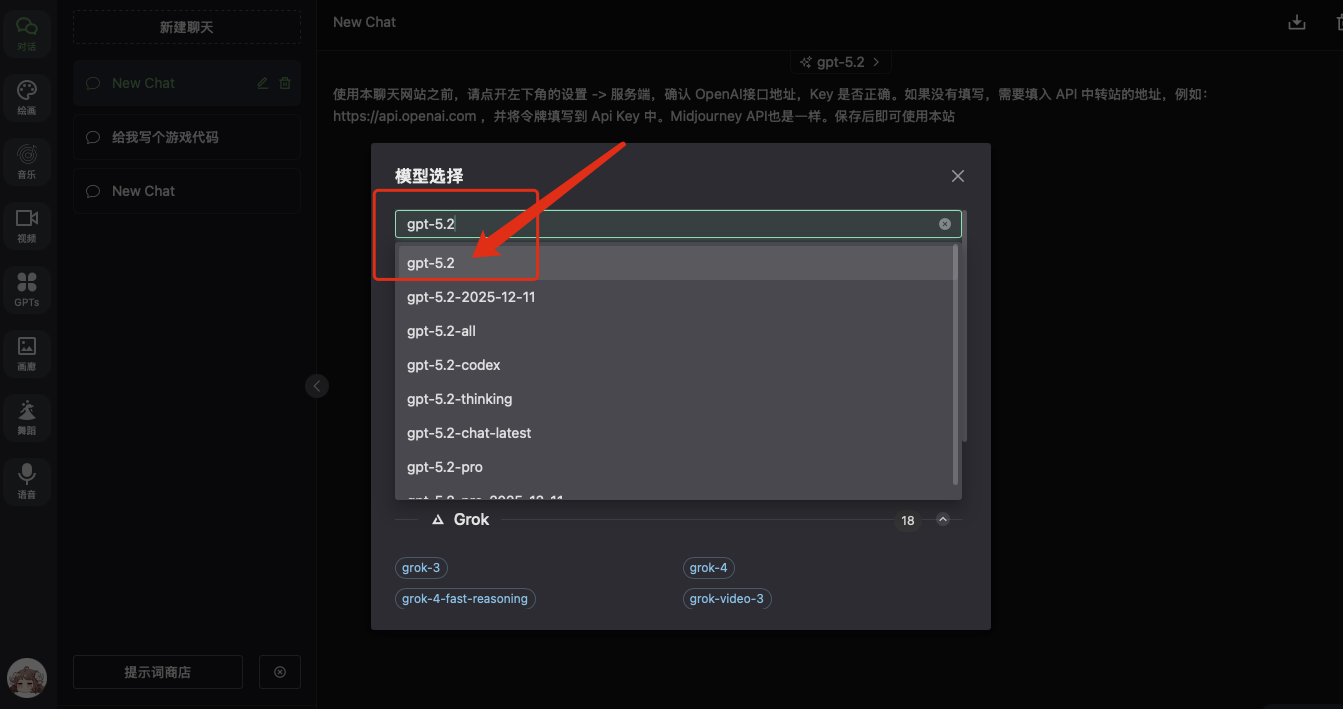
3.新建聊天,输入问题使用新设置的模型 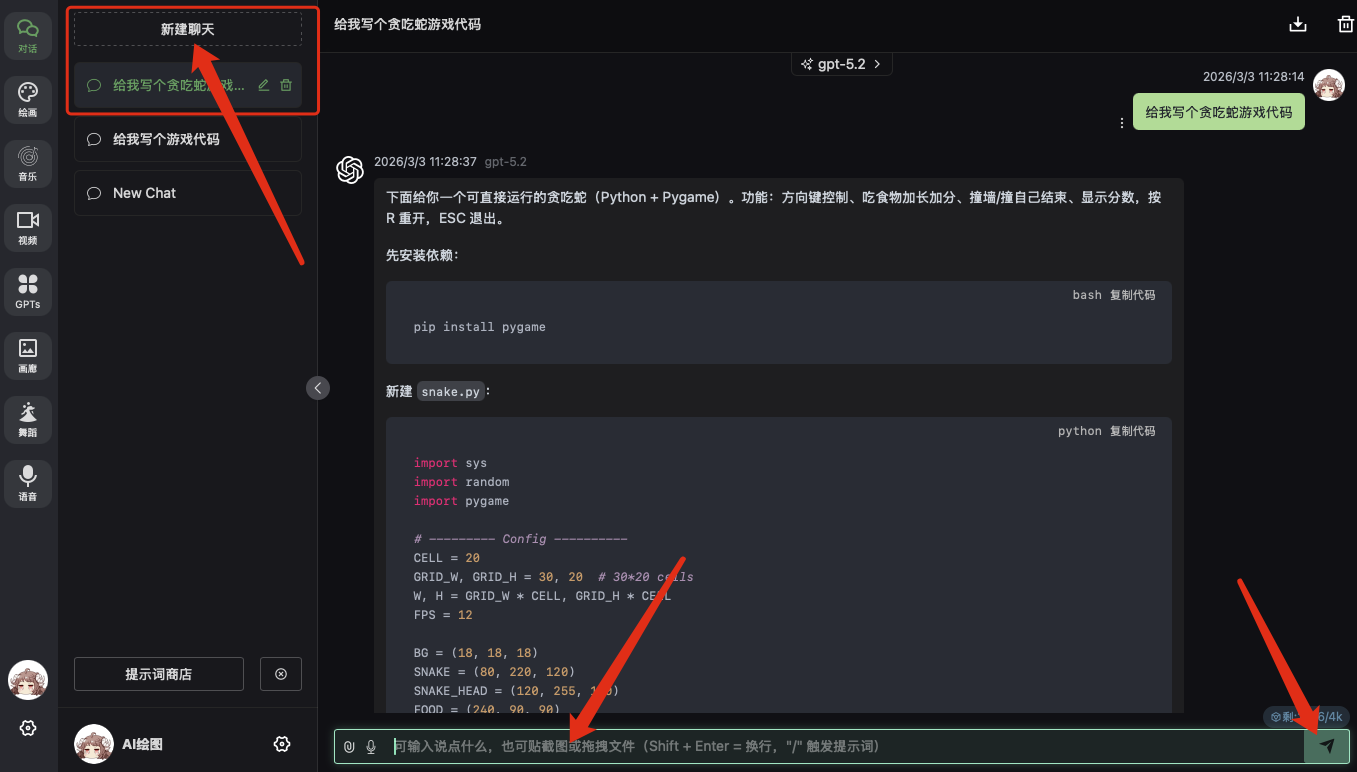
绘画
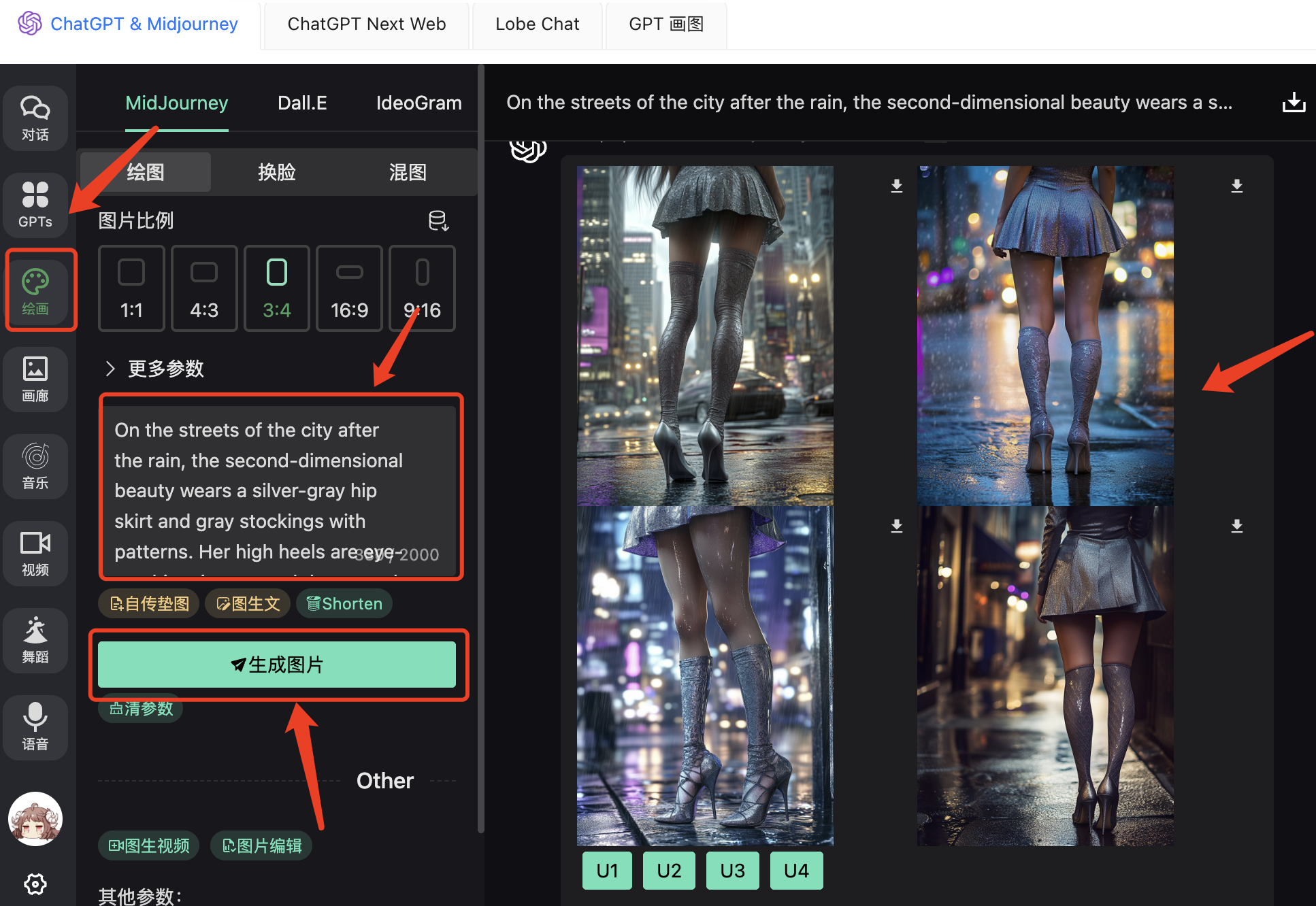
畅怀中转API聊天菜单 - ChatGPT & Midjourney - 绘画:
提示词
On the streets of the city after the rain, the second-dimensional beauty wears a silver-gray hip skirt and gray stockings with patterns. Her high heels are eye-catching, in gray and deep purple tones. She has an urban fashion style. The stockings have exquisite patterns. The street lights and rainwater reflect the elegant legs.