主题
📖基本概念-API地址(BaseURL)
1️⃣ 基本概念
中转网址,用于替换官方API地址
官方地址:
https://api.openai.com需要被替换成 畅怀中转API地址:https://api.changhuai.ai所有地址数据互通
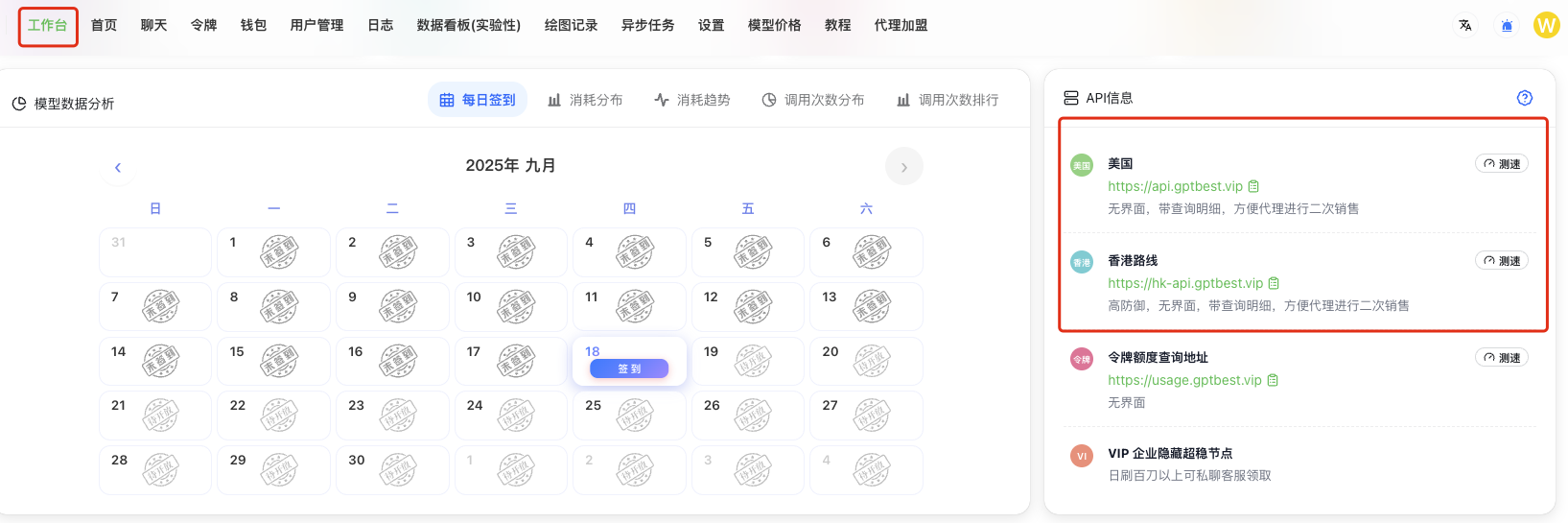
💻 API(BaseUrl)信息入口:
根据自己调用API的地理位置选择最优线路以获得最佳体验
部分路线可能区域网络受限,若无法正常访问API地址,请尝试更换地址
🔌 完整功能接口映射表
功能
路径
完整示例URL
智能对话
/v1/chat/completions
https://api.changhuai.ai/v1/chat/completions
文本嵌入
/v1/embeddings
https://api.changhuai.ai/v1/embeddings
AI绘图
//images/generations
https://changhuai.v/images/generations
语音转文本
/v1/audio/transcriptions
https://api.changhuai.ai/v1/audio/transcriptions
文本转语音
/v1/audio/speech
https://api.changhuai.ai/v1/audio/speech
在 claude code 里只需要配置域名,不需要带 /v1及后面的部分。
Python 示例
需要先 pip install openai
import openai
# 配置API密钥和基础URL
openai.api_key = "sk-******" # 替换为你的实际令牌
openai.api_base = "https://api.changhuai.ai" # 设置中转地址#

调用对话接口示例
response = openai.ChatCompletion.create(
    model="gpt-3.5-turbo",
    messages=[{"role": "user", "content": "你好"}] )
print(response.choices[0].message.content)
curl 示例
curl --request POST \
    --url https://api.changhuai.ai/v1/chat/completions \
    --header 'Authorization: Bearer sk-替换为你的key' \
    -H "Content-Type: application/json" \
    --data '{
      "max_tokens": 8192,
      "model": "gpt-4.1-mini",
      "temperature": 0.8,
      "top_p": 1,
      "presence_penalty": 1,
      "messages": [
          {
              "role": "system",
              "content": "你是我的全能助手,你叫小美"
          },
          {
              "role": "user",
              "content": "你是谁?夸我几句我就给你续费~"
          }
      ]
  }'